
Quick pick: Standard use → iPad 11 inch A16 128GB Wi-Fi (~$349) →
Apple iPad 2025 (11 inch, A16): Why This Generation Actually Matters
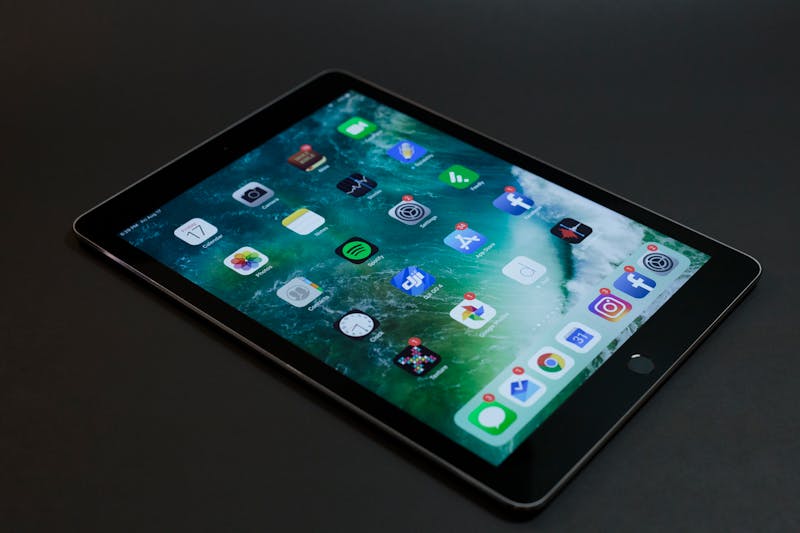
Over the years, Apple intentionally kept the base iPad model (the cheapest iPad) slow, so people would lean toward iPad Air or iPad Pro. The 2025 model changes that equation: with the A16 chip, Liquid Retina display, and 128GB starting storage, it is no longer just a "base model."
Specs
- Chip: Apple A16; same chip as iPhone 14 Pro. Genuinely fast, will be enough for daily tasks for years
- Display: 11-inch Liquid Retina (new in this generation; the previous generation used an older 10.9-inch panel)
- Storage: 128GB starting (previous generation started at 64GB; big step)
- Connectivity: Wi-Fi 6; fast on home networks
- Camera: 12MP front camera with Center Stage (follows you during video calls), 12MP rear camera
- USB-C: Lightning is gone, USB-C is here
- Battery: ~10 hours
- Colors: Silver, Blue, Pink, Yellow
- Price: ~$349 (128GB Wi-Fi)
 Apple iPad 2025 (A16, 128GB): Check it out on Amazon
Who Is It the Right Choice For?
Best Reasons to Buy an iPad
- You just moved to the US as a digital immigrant: All official documents, filling out forms, online meetings, government procedures. All of this is much easier on a big screen with iPad. Video call quality is especially great with the front camera.
- For kids: Homework, content for small children, YouTube. A tablet is safer and more practical than a laptop for this. Parental controls are very good.
- Your elderly parents are coming to visit the US: FaceTime, WhatsApp, YouTube. Simple, big screen, easy to use.
- While cooking: Putting the iPad on the kitchen counter and following a recipe on a screen 3 times bigger than your phone. Essential.
Alternatives to iPad
- If you have laptop-level work: If you absolutely need to do serious productivity work on an iPad (coding, video editing, heavy Office use), MacBook Air M4 makes more sense.
- If you want to draw with Apple Pencil: This iPad model is not compatible with Apple Pencil Pro. It only works with Apple Pencil 1st generation or 2nd generation USB-C. For professional drawing, look at the iPad Pro.
Apple Pencil compatibility, be careful: The 2025 iPad (A16) model only works with Apple Pencil (USB-C) and Apple Pencil 1st Generation. Apple Pencil Pro or Apple Pencil 2nd Generation are not compatible with this model. When buying accessories, check if the box says "iPad (A16)." If you bought the wrong pencil, pay attention to the 30-day return window.
Where to Buy Accessories?
Accessories that unlock the iPad's real potential:
- Smart Folio Case: Both cover and stand. Apple's official case is good but expensive. Third-party options are available on Amazon too. View on Amazon →
- iPad Case (11 inch, shock-proof): For small children or rough use, a hard case makes more sense. View on Amazon →
- iPad Case with Stand (folio): Third-party smart folio. Similar features at half Apple's price. View on Amazon →
- Apple Pencil (USB-C): Useful for notes, sketches, filling out forms. View on Amazon →
- Apple Pencil 1st Generation: Compatible alternative for this iPad. Slightly older design than the USB-C version but it works. View on Amazon →
- Logitech Combo Touch Keyboard + Touchpad: Good keyboard option for iPad Air and iPad. Cheaper than Apple Magic Keyboard. View on Amazon →
- Apple Smart Keyboard Folio: Nearly turns the iPad into a laptop. But at $249+ it is almost half the iPad's price. If you do serious writing, consider a MacBook Air M4. View on Amazon →
Screen Protector and Stand
- iPad 11 inch Screen Protector (glass): Against fingerprints and scratches. For Apple Pencil users who want iPad Pro level sensitivity, the matte (anti-glare) version is better. View on Amazon →
- iPad Screen Protector (anti-glare): Matte option that feels like paper. Makes Apple Pencil writing feel more natural. View on Amazon →
- iPad Adjustable Stand: For upright desk use. Fixes neck angle, ideal for kitchen use. View on Amazon →
- Universal Tablet Stand: Compatible with iPad and other tablets, cheap and functional desktop stand. View on Amazon →
Wi-Fi Model or Cellular?
Recommendation: The Wi-Fi model is enough for most people. You can connect your iPad to the internet anywhere with your phone's hotspot feature. The Cellular model is $150+ more expensive and has a monthly extra data fee. Spend that money somewhere else.
Exception: if you travel a lot and use a tablet in the car or waiting rooms, Cellular might make sense.
At $349 with an A16 chip, 11-inch Liquid Retina display, and 128GB, finding this price-to-performance ratio in another tablet is nearly impossible. Directly recommended for anyone who needs a big screen, loves the app ecosystem, and wants a tablet compatible with Apple devices.
Final verdict: At $349 the A16-powered 128GB iPad is the best tablet in this price range. No need for the Cellular version. Phone hotspot is enough. Those who want to add an Apple Pencil (USB-C) should plan to spend $79 more. Excellent as a personal device, kids' tablet, or kitchen/video call machine.
Disclosure: Some Amazon links in this article are affiliate links. Your price doesn't change. I only recommend products I actually use or have personally tested.