
Quick summary: Mac mini M4 is the best price-to-performance option for a desktop computer. It starts at $599, but once you add a monitor and accessories, the budget can grow. In this guide, I covered who it makes sense for, what you need to buy, and what to watch out for.
Why Is Mac mini M4 So Popular?
Mac mini is Apple's smallest and most affordable desktop computer. With the M4 chip arriving in this model, it has become a serious option, especially for people who want to switch to Mac or are looking for a home/office desktop.
It is about the size of a book. It has a fan but you almost never hear it. It starts at $599 with 16GB RAM and 256GB SSD, which is much more affordable than a MacBook Pro offering the same performance.
View on Amazon: Apple Mac mini M4 →
Who Does Mac mini M4 Make Sense For?
- Desktop computer seekers: If you already have a monitor, keyboard, and mouse, Mac mini is the cheapest way to get into Mac.
- Switching from Windows to Mac: You can test the macOS experience without extra spending by using your existing peripherals.
- Developers and designers: With M4's CPU and GPU power, Xcode, Figma, and DaVinci Resolve run comfortably.
- Home server and light NAS: Low power consumption and silent operation make it ideal for home networks.
- Students (limited scholarship/budget): If you want a Mac experience without a MacBook, this is the cheapest way.
Note: Monitor, keyboard, and mouse are NOT included. Only the computer comes out of the Mac mini box. Cables are limited too. You need to buy a USB-C monitor or HDMI adapter, keyboard, and mouse separately. Calculate your real budget accordingly.
Which Model Should I Get?
| Model | CPU | RAM | Storage | Price |
|---|---|---|---|---|
| Mac mini M4 (Base) | 10-core | 16GB | 256GB | ~$599 |
| Mac mini M4 (Mid) | 10-core | 16GB | 512GB | ~$799 |
| Mac mini M4 Pro | 14-core | 24GB | 512GB | ~$1,399 |
For most people, the 512GB SSD model ($799) is the most sensible choice. 256GB fills up fast with macOS plus apps. You cannot upgrade the SSD later on the Mac mini.
Should I Get the M4 Pro?
Consider the M4 Pro model if:
- You do 4K/8K video editing (heavy Final Cut Pro projects)
- You do large machine learning or data science work
- You want to use multiple 6K external displays
- You work with intensive Xcode compilation processes
For regular office work, web browsing, software development, and media consumption, the standard M4 model is truly more than enough.
Monitor Selection: Which Monitor with Mac mini?
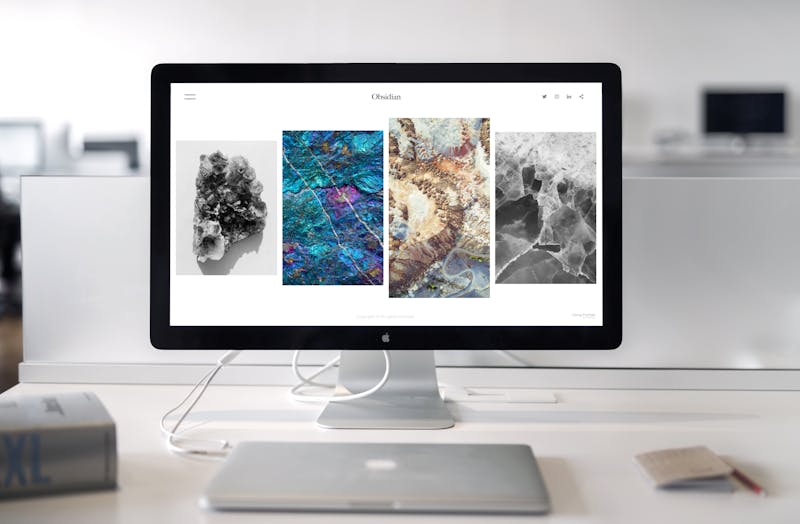
Mac mini M4 has 3 Thunderbolt 4 ports, 1 HDMI 2.1, and 2 USB-A ports on the back panel. You can connect up to 3 external displays.
Monitor Recommendations by Budget
- $200-350: LG 27UP600-W (27", 4K, IPS, USB-C); good color accuracy, works with Mac via single USB-C cable.
- $400-600: Dell UltraSharp U2723QE (27", 4K, IPS); professional color calibration, ergonomic stand.
- $400-500: ASUS ProArt PA279CRV (27", 4K, USB-C 96W); calibration certified for color accuracy, good option for designers.
- $400-600: Dell S2725QC (27", 4K, USB-C); single USB-C cable connection with Mac mini, balanced option for daily use.
- $800+: Apple Studio Display; 5K Retina, 12MP Center Stage camera, Thunderbolt 3 hub. For color-critical work or full Apple ecosystem.
Apple Studio Display ($1,599)? Apple's own display is quite expensive to pair with Mac mini M4. If you do content creation or color-critical work, it is worth it. But for regular users, a quality $300-400 4K IPS monitor makes much more sense.
Keyboard and Mouse
No keyboard or mouse comes in the Mac mini box. You have two options:
Option 1: Apple Magic Keyboard + Magic Mouse / Trackpad
The most seamless integration. Touch ID enabled keyboard (instant wake with M4). If you prefer a trackpad over a mouse, the Trackpad is more useful because Mac's multi-touch gestures work much better on a touchpad.
View on Amazon: Apple Magic Mouse (2025) →
View on Amazon: Apple Magic Trackpad (2025) →
Option 2: Any Bluetooth Keyboard/Mouse
The Logitech MX Keys + MX Master 3 combo works perfectly with Mac and is more ergonomic than Apple accessories. You lose Touch ID but daily comfort improves. Logitech MX Keys Mini is the more compact version, saves desk space.
View on Amazon: Logitech MX Keys →
View on Amazon: Logitech MX Keys Mini →
View on Amazon: Logitech MX Master 3 →
The Magic Mouse charging situation: The Apple Magic Mouse can be charged while using it. The charging cable plugs into the bottom and you have to flip it upside down. Yes, really. Logitech MX Master is much more practical in this regard.
Hub and Storage Expansion
Mac mini M4 has ports on the back panel but the front only has 2 USB-C. For daily use, a hub or external SSD comes in handy.
USB-C Hub Recommendations
- Satechi USB-C Slim Hub: Premium aluminum hub with design matching Mac mini, 4K HDMI, USB-A and USB-C ports. View on Amazon →
- Qwiizlab Hub: A hub design that sits under the Mac mini and physically integrates with it, bringing ports to the front. View on Amazon →
Storage Expansion with External SSD
If you got the 256GB model and storage is getting full, an external SSD is a good solution. Internal storage cannot be upgraded on the Mac mini.
- Samsung T9 Portable SSD: USB 3.2 Gen 2x2, 2GB/s read speed. Ideal for Time Machine backups or large file transfers. View on Amazon →
- Samsung T7 Portable SSD (1TB): More budget-friendly option, still fast and reliable. View on Amazon →
Mac mini M4 vs. MacBook Air M4: Which One?
| Criteria | Mac mini M4 ($599) | MacBook Air M4 ($1,099) |
|---|---|---|
| Portability | None (desktop) | Full (ultrabook) |
| Display | External needed (+$200-400) | Built-in 13"/15" |
| Total cost | ~$800-1,000+ (with display) | $1,099+ (everything included) |
| Performance | Same M4 | Same M4 |
| Display count | Up to 3 external displays | Up to 2 external displays |
| Ideal user | Fixed desk, office | Mobile, take everywhere |
For someone who works at the same desk every day with an office-to-home routine, Mac mini + quality monitor combination means better ergonomics and probably less money than a MacBook. If you travel and work at cafes, MacBook wins.
Apple Intelligence and Mac mini M4
The M4 chip is optimized for Apple Intelligence, Apple's AI features platform. Writing assistant, photo editing AI tools, smart notification summaries, Priority Messages, and similar features run with full support on M4 devices. These features come integrated into macOS, you do not need to download a separate app.
Tax advantage for business: In the US, computers used for home office purposes can be fully expensed in the business year under Section 179. If you are self-employed or an LLC owner, talk to your accountant before purchasing.
Disclosure: Some Amazon links in this article are affiliate links. Your price doesn't change. I only recommend products I actually use or have personally tested.