
Quick summary: The new MacBook Air M4 is the most mature point of the Apple Silicon series. In this guide, you will find which model, how much RAM and storage you need, tips specifically for Turkish students and professionals, and an Amazon vs. Apple Store comparison.
Quick pick: For most people, the right model → MacBook Air M4 16GB / 512GB → not too much, not too little. You will be comfortable for 5-7 years.
MacBook Air M4: Why Does It Matter?
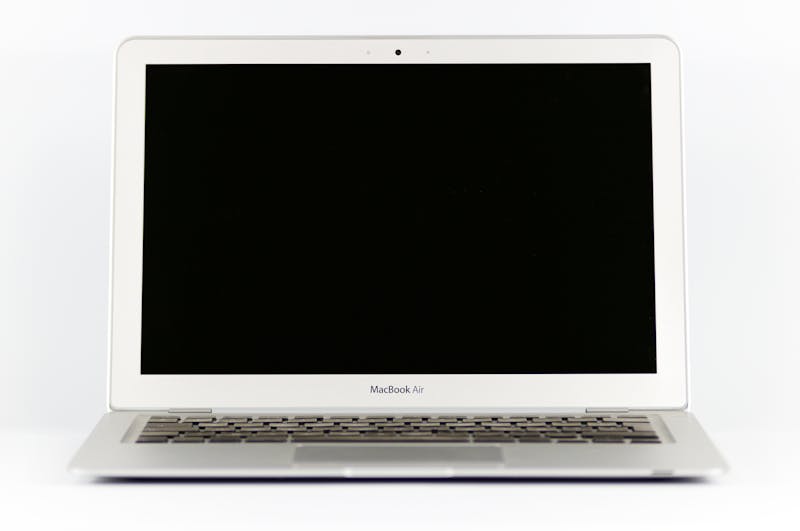
With Apple's M4 chip arriving in the Air model, this series has once again become the best ultrabook option on the market. The M4 offers roughly 25-30% faster CPU performance compared to M3, and noticeably improved graphics. No fan, no noise, completely silent operation. 18 hours of battery life. Where else do you see that.
But the real important change is not performance: the base model now comes with 16GB RAM as standard. The M3 Air starting with 8GB got a lot of criticism, and rightfully so. With M4, that problem is gone.
Which Model Should You Get?
| Model | RAM | Storage | Price (approx) | Who Is It For |
|---|---|---|---|---|
| MacBook Air M4 (Base) | 16GB | 256GB SSD | ~$1,099 | Students, light use |
| MacBook Air M4 (Mid) | 16GB | 512GB SSD | ~$1,299 | Professionals, video watching, regular work |
| MacBook Air M4 (16 inch) | 16GB | 512GB SSD | ~$1,299 | Those who want a bigger screen |
| MacBook Air M4 (24GB RAM) | 24GB | 512GB SSD | ~$1,499 | Developers, designers, video editors |
Is 256GB enough? Short answer: not for most people. macOS itself takes up ~15GB, app updates pile up, and many people with the 256GB model start having storage problems after 2-3 years. Upgrading to 512GB costs about $200 extra at purchase, but there is no way to upgrade later (on Apple Silicon, RAM and SSD are soldered to the motherboard). If you are not sure, get the 512GB.
RAM: 16GB or 24GB?
M4's unified memory architecture uses RAM differently than traditional PC RAM. A 16GB M4 performs equal to or better than a Windows laptop with 32GB PC RAM in most situations.
- 16GB is enough: Web, email, Office, Zoom, photo editing (Lightroom light use), video watching, student work.
- 24GB recommended: 4K video with Final Cut Pro, large projects with Xcode, Adobe Premiere, running many virtual machines, heavy Photoshop/Illustrator work.
Practical test: Watch the "Memory Pressure" graph in Activity Monitor. If it shows yellow or red, your RAM is not enough. With the 16GB M4 and normal use, this graph almost never goes yellow.
MacBook Air or MacBook Pro?
Even though they use the same M4 chip, there are important differences between Air and Pro:
- Fan: Air has no fan (silent but may throttle under sustained heavy load). Pro has a fan (consistent performance during long render jobs).
- Display: Pro has Liquid Retina XDR (brighter, mini-LED), Air has standard Liquid Retina.
- Ports: Pro has HDMI and SD card reader, Air does not.
- Price difference: Pro M4 starts at ~$1,599, about $500 more than Air.
My advice: For the vast majority, Air M4 is more than enough. Only if you do heavy tasks like hours-long video rendering every week, large Xcode builds, or ML work, then the Pro's fan makes sense. Otherwise Air is plenty. People buy Pro for no reason and then regret it.
Amazon or Apple Store?
Buying a MacBook from Amazon has a few advantages:
- Price drops: Amazon occasionally discounts $50-150, especially around Prime Day and Black Friday. Apple Store rarely does discounts.
- Prime return convenience: Amazon's 30-day return policy is more generous than Apple's 14-day policy.
- Caution: Do NOT buy a MacBook from third-party sellers on Amazon (those not sold by Amazon). There is risk of fake or defective products. Make sure it says "Ships from and sold by Amazon.com".
View on Amazon: Apple MacBook Air M4 (16GB/512GB) →
Amazon Apple Store: All Apple Products →
Student discount: Apple offers students and teachers with a .edu university email $100-150 off MacBooks and free AirPods during their Back to School campaign every July through September. If you are a student, do not miss this campaign. It is usually a better deal than Amazon prices.
Turkish Keyboard or English?
This is a common question for people buying MacBooks in America. Almost all MacBooks sold in the US have an English (US) keyboard. For the Turkish keyboard option, you can use Apple's online store (CTO - Configure to Order), but delivery can take a few weeks.
Practical reality: If you are working in America and used to typing in English, it makes more sense to stick with the US keyboard. You can easily switch to Turkish keyboard layout in macOS. Even if the physical keys do not show Turkish letters, believe me, after a while you do not even notice.
Accessories: What Do You Actually Need?
Apple's accessories are expensive, but there are a few things you need to get along with your MacBook:
USB-C Hub / Dock
MacBook Air only has 2 USB-C Thunderbolt ports (and one MagSafe charging port). If you need to connect USB-A devices, an HDMI monitor, or read SD cards, a hub is a must.
- Our recommendation: Anker 7-in-1 USB-C Hub (~$30-40). 4K HDMI, 3 USB-A ports, SD card reader, USB-C pass-through charging. Much cheaper and more functional than Apple's own adapter.
View on Amazon: Anker USB-C Hub →
View on Amazon: Ugreen USB-C Hub (12-in-1) →
View on Amazon: Baseus USB-C Docking Station →
Case and Protection
The MacBook Air's aluminum body is beautiful but sensitive to scratches. A hardshell case gives both visual and physical protection.
- Our recommendation: Mosiso or inateck hardshell case (~$15-25). Matte surface that does not block airflow.
View on Amazon: Mosiso MacBook Air M4 Case (13 inch) →
View on Amazon: INATECK MacBook Air M4 Case (15 inch) →
Screen Protector
The MacBook Air screen is Retina quality, but small scratches and fingerprints accumulate over time.
View on Amazon: Matte Screen Protector MacBook Air M4 13 inch →
View on Amazon: Matte Screen Protector MacBook Air 15 inch →
Laptop Stand and External SSD
If you use your MacBook on a desk at screen level, an ergonomic stand reduces neck and back pain.
View on Amazon: Rain Design mStand (aluminum laptop stand) →
For external storage, Samsung T7 is fast and reliable:
View on Amazon: Samsung T7 Portable SSD 1TB →
MacBook vs. Windows: Honest Comparison
| Criteria | MacBook Air M4 | Windows (mid-range) |
|---|---|---|
| Battery life | Excellent (16-18 hours real) | Average (6-10 hours) |
| Performance/Watt | Best in the industry | Lower efficiency |
| Software compatibility | Some Windows software missing | Everything runs |
| Gaming | Limited (but improving) | Much better |
| Price | Expensive ($1,099+) | Wide range ($400-1,500) |
| Long-term use | 5-7 years comfortable use | 3-5 years (software-wise) |
Who is MacBook Air M4 right for? For students and professionals doing Office, web, Zoom, photo editing, and general work, this is the best ultrabook on the market right now. If you are gaming or using Windows-specific work software like AutoCAD/SolidWorks, a Windows laptop obviously makes more sense.
Final verdict: Get the 512GB M4 Air, stay away from 256GB. 16GB RAM is enough. Only consider 24GB if you do hours of video rendering every week. Buying from Amazon gives you a 30-day return advantage versus only 14 days from Apple Store. If there is a big price difference, wait for Prime Day.
Disclosure: Some Amazon links in this article are affiliate links. Your price doesn't change. I only recommend products I actually use or have personally tested.